Complete Guide to Mobile Top-Up Methods in the UK: From Online to In-Store Options

Sarah Johnson
26 March 2026
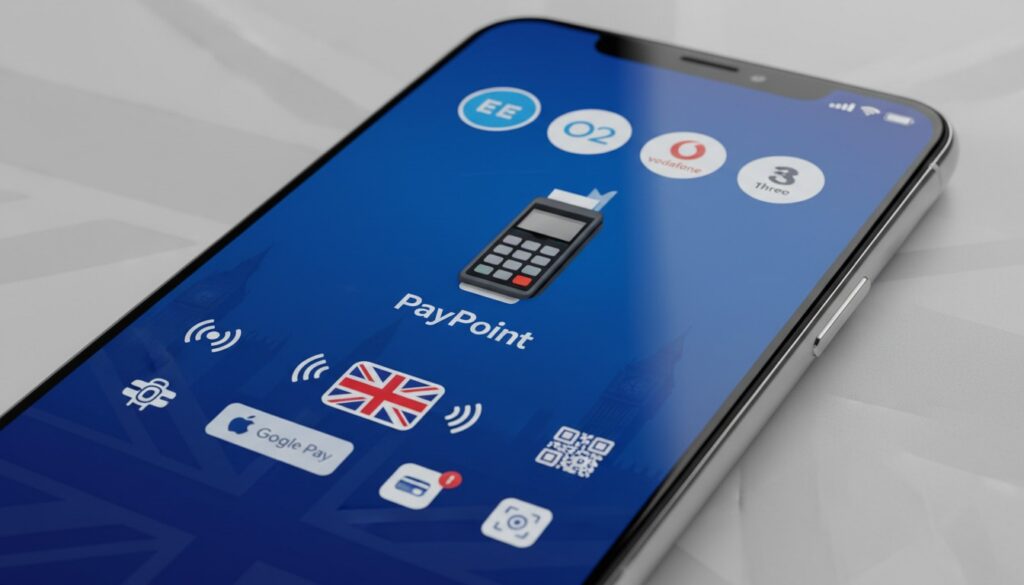
Complete Guide to Mobile Top-Up Methods in the UK: From Online to In-Store Options
Introduction
In today’s digital age, keeping your mobile phone topped up has never been more crucial – or more convenient. Whether you’re a busy professional rushing between meetings, a student managing a tight budget, or someone who simply prefers the flexibility of pay-as-you-go services, understanding all your mobile top-up options in the UK can save you time, money, and frustration.
With over 16 million people in the UK using prepaid mobile services, the demand for quick, reliable, and accessible top-up methods has led to an explosion of options. From traditional high street retailers to cutting-edge mobile apps, the landscape of mobile top-ups has evolved dramatically over the past decade.
This comprehensive guide will walk you through every available method for topping up your mobile phone in the UK, helping you choose the best option for your lifestyle, budget, and preferences. We’ll explore the pros and cons of each method, share insider tips to avoid common pitfalls, and provide practical advice to ensure you never find yourself caught with an empty balance at the worst possible moment.
Online Top-Up Methods: The Digital Revolution
Mobile Network Websites and Apps
The most straightforward and popular method for topping up your mobile is through your network provider’s official website or mobile app. All major UK networks – including EE, O2, Vodafone, and Three – offer dedicated platforms that make topping up as simple as a few clicks.
Advantages of using official network platforms:
- Instant credit application – usually within seconds
- 24/7 availability from anywhere with internet access
- Secure payment processing with multiple payment options
- Account management features and usage tracking
- Exclusive offers and bonus credit promotions
- Auto top-up functionality to prevent running out of credit
- Log into your network’s app or website
- Navigate to the top-up section
- Select ‘Auto Top-up’ or similar option
- Choose your trigger amount (e.g., when balance drops below £5)
- Set your top-up amount and payment method
- Confirm and activate the service
- PayPoint One
- Ding
- Mobile Recharge
- Recharge.com
- Various cashback and rewards websites
- Often cheaper rates than official network sites
- Cashback opportunities and reward points
- Ability to top up multiple networks from one account
- International top-up services for overseas numbers
- Bulk top-up options for businesses or families
- Always verify the platform’s legitimacy before providing payment details
- Check processing times – some third-party services may take longer
- Ensure the platform supports your specific network and tariff
- Read terms and conditions regarding refunds and failed transactions
- Barclays Mobile Top-up
- HSBC Mobile Banking top-up feature
- Santander Mobile App top-up
- Nationwide FlexAccount mobile services
- PayPal mobile top-up
- Apple Pay integration with network apps
- Google Pay mobile services
- Revolut mobile top-up feature
- Tesco (at customer service desks and self-service machines)
- ASDA (PayPoint terminals and customer service)
- Sainsbury’s (dedicated top-up stations)
- Morrisons (customer service and PayPoint)
- Marks & Spencer (customer service desks)
- WHSmith (PayPoint terminals in most locations)
- Post Office (comprehensive mobile services)
- Use official store locator websites
- Look for distinctive branding in shop windows
- Check convenience stores, petrol stations, and newsagents
- Many locations offer 24-hour access
- Locate a PayPoint or Payzone terminal
- Tell the cashier your network and desired top-up amount
- Provide your mobile number when requested
- Pay using cash, debit card, or credit card
- Receive a receipt with confirmation details
- Your credit typically appears within 5-15 minutes
- Instant top-ups with immediate credit application
- Account troubleshooting and balance queries
- Tariff changes and upgrade consultations
- SIM card replacements and new connections
- Detailed usage reports and billing explanations
- Exclusive in-store promotions and offers
- Convenience stores and corner shops
- Petrol stations and service areas
- Some supermarket customer service desks
- Tobacco and newspaper retailers
- Selected online retailers (delivered physically)
- Purchase a voucher for your desired amount
- Scratch off the protective coating to reveal the code
- Dial your network’s top-up number (usually 4444)
- Follow the automated instructions
- Enter the voucher code when prompted
- Confirm the transaction and amount
- NFC-enabled top-up points in public locations
- Contactless payment at traditional PayPoint terminals
- QR code scanning for instant top-ups
- Voice-activated top-ups through smart speakers
- Cryptocurrency payment options (limited availability)
- Your current network provider
- Whether you’re on a contract or pay-as-you-go service
- Any recent network changes or porting activities
- Correct mobile number formatting (including area codes)
- Only use secure, encrypted websites (look for HTTPS)
- Avoid public Wi-Fi for financial transactions
- Keep receipts and confirmation messages
- Set up account alerts for all top-up activities
- Use strong, unique passwords for network accounts
- Weekend promotions – many networks offer bonus credit
- Monthly special offers – typically announced via SMS or email
- Loyalty program benefits – accumulated through regular top-ups
- Cashback credit cards – earn rewards on top-up purchases
- Student discounts – available through various platforms
- Set up low-balance alerts to avoid emergency top-ups
- Use auto top-up with small, regular amounts
- Take advantage of bulk purchase discounts
- Monitor usage patterns to optimise top-up frequency
- Consider switching to better-value tariffs when available
- Wait 15-30 minutes before contacting customer service
- Check for any outstanding payments or account restrictions
- Verify that you’ve topped up the correct number
- Keep all transaction receipts and reference numbers
- Contact your network’s customer service with specific details
- Check your bank account for any charges
- Screenshot error messages for customer service reference
- Try alternative top-up methods if urgent
- Report persistent issues to both your bank and network
- Consider using different payment methods as backup options
How to set up auto top-up:
Pro Tip: Most networks offer bonus credit when you set up auto top-up, often providing an extra 10-20% on top of your regular top-up amount.
Third-Party Online Platforms
Beyond official network sites, numerous third-party platforms offer mobile top-up services, often with competitive rates and additional features:
Popular third-party platforms:
Benefits of third-party platforms:
Important considerations:
Online Banking and Digital Wallets
Many UK banks now offer direct mobile top-up services through their online banking platforms and mobile apps. Additionally, digital wallet services have integrated top-up functionality:
Banking top-up services:
Digital wallet options:
High Street and In-Store Options: Traditional Reliability
Supermarkets and Retail Chains
Despite the digital revolution, physical retail locations remain incredibly popular for mobile top-ups, offering the security of face-to-face transactions and immediate confirmation.
Major retailers offering top-up services:
PayPoint and Payzone Terminals
PayPoint and Payzone terminals represent the backbone of UK retail top-up services, with over 28,000 locations across the country.
Finding PayPoint/Payzone locations:
Step-by-step in-store top-up process:
Network Retail Stores
Visiting an official network store provides the most comprehensive service, with trained staff who can assist with complex queries and account issues.
Services available at network stores:
Alternative and Emerging Top-Up Methods
Voucher and Scratch Card Systems
While less common than in previous years, physical top-up vouchers and scratch cards remain available for those who prefer cash transactions or gift-giving.
Where to find top-up vouchers:
How to use top-up vouchers:
Contactless and Mobile Payment Integration
The latest innovation in mobile top-ups involves contactless payment integration and near-field communication (NFC) technology:
Emerging technologies:
Future Insight: Industry experts predict that by 2025, over 70% of mobile top-ups will be completed through automated, contactless methods, reducing the need for manual intervention.
Expert Tips and Best Practices
Avoiding Common Top-Up Mistakes
Double-checking network compatibility:
One of the most frequent errors is attempting to top up the wrong network. Always verify:
Payment security best practices:
Maximising Value and Rewards
Strategic timing for better deals:
Budget management techniques:
Troubleshooting Common Issues
When top-ups don’t appear immediately:
Dealing with failed transactions:
Conclusion
Navigating the diverse landscape of mobile top-up methods in the UK doesn’t have to be overwhelming. From the convenience of instant online top-ups through network apps to the reliability of traditional high street options, there’s a solution that fits every lifestyle and preference.
The key to successful mobile top-up management lies in understanding your options, choosing methods that align with your habits, and implementing smart practices like auto top-up and balance monitoring. Whether you prefer the cutting-edge convenience of digital wallets or the personal touch of in-store service, the UK’s comprehensive top-up infrastructure ensures you’ll never be left without credit when you need it most.
Remember that the mobile top-up landscape continues to evolve rapidly, with new technologies and payment methods regularly emerging. Stay informed about your network’s latest offerings, take advantage of promotional deals, and don’t hesitate to experiment with different methods until you find your perfect combination.
Most importantly, always prioritise security and convenience in equal measure – the best top-up method is the one that keeps you connected safely and reliably.
Take Action: Optimise Your Mobile Top-Up Strategy Today
Ready to streamline your mobile top-up experience? Start by downloading your network’s official app and exploring their auto top-up options. Set up account alerts, bookmark your preferred online platforms, and locate your nearest PayPoint terminal for emergency situations.
What’s your preferred top-up method? Share your experiences and tips in the comments below, and don’t forget to bookmark this guide for future reference. Stay connected, stay informed, and never let a low balance catch you off guard again!